MacHancer
Every mouse button, finally useful.
Button 4 + Button 5 = superpowersDownload for macOS
Version 1.0 · macOS 14 or later · notarized direct download
Every mouse button, finally useful.
Button 4 + Button 5 = superpowersVersion 1.0 · macOS 14 or later · notarized direct download
MacHancer is a menu-bar app that turns the extra buttons on your mouse into gestures, window tiling and shortcuts. Changes apply instantly.
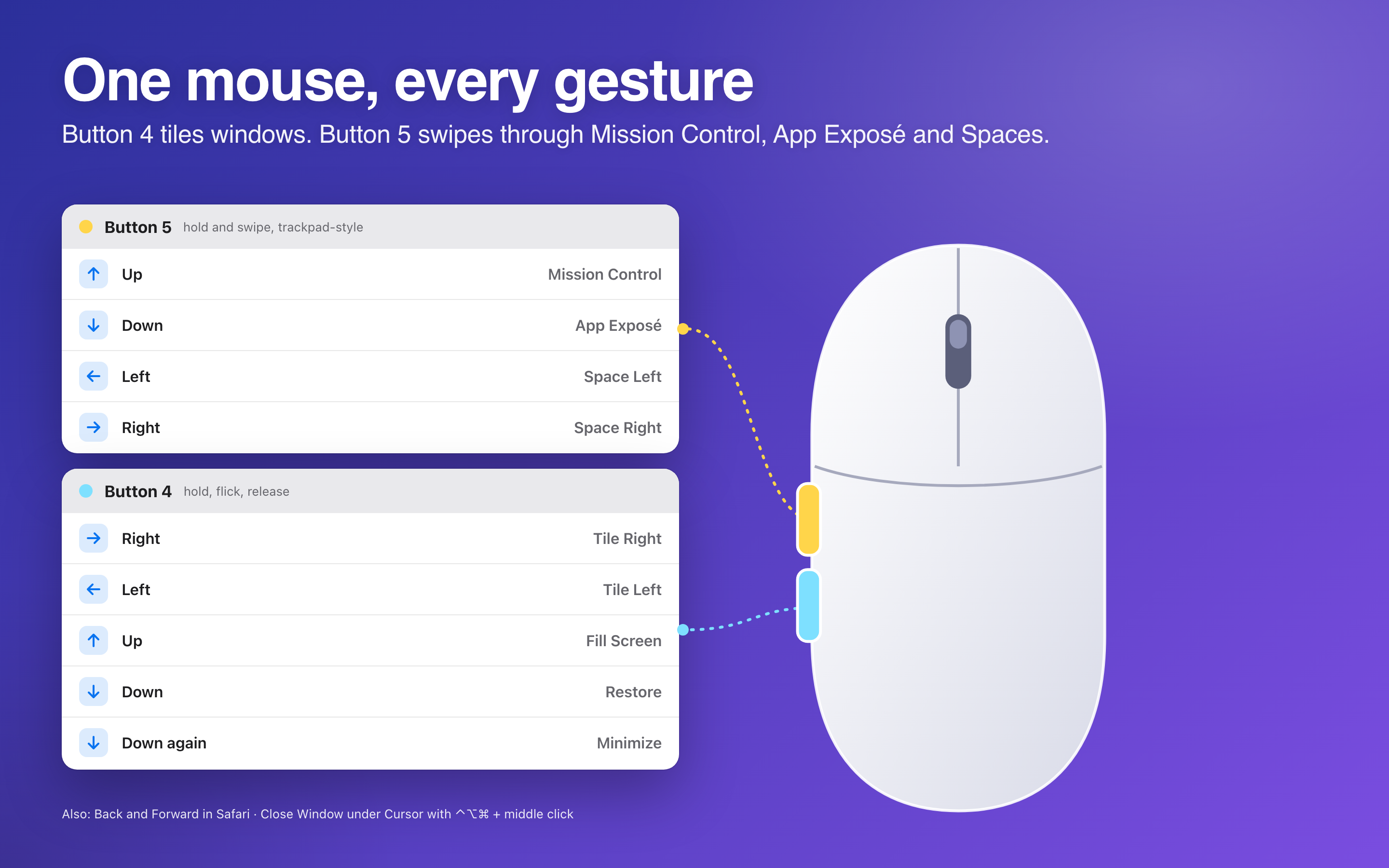
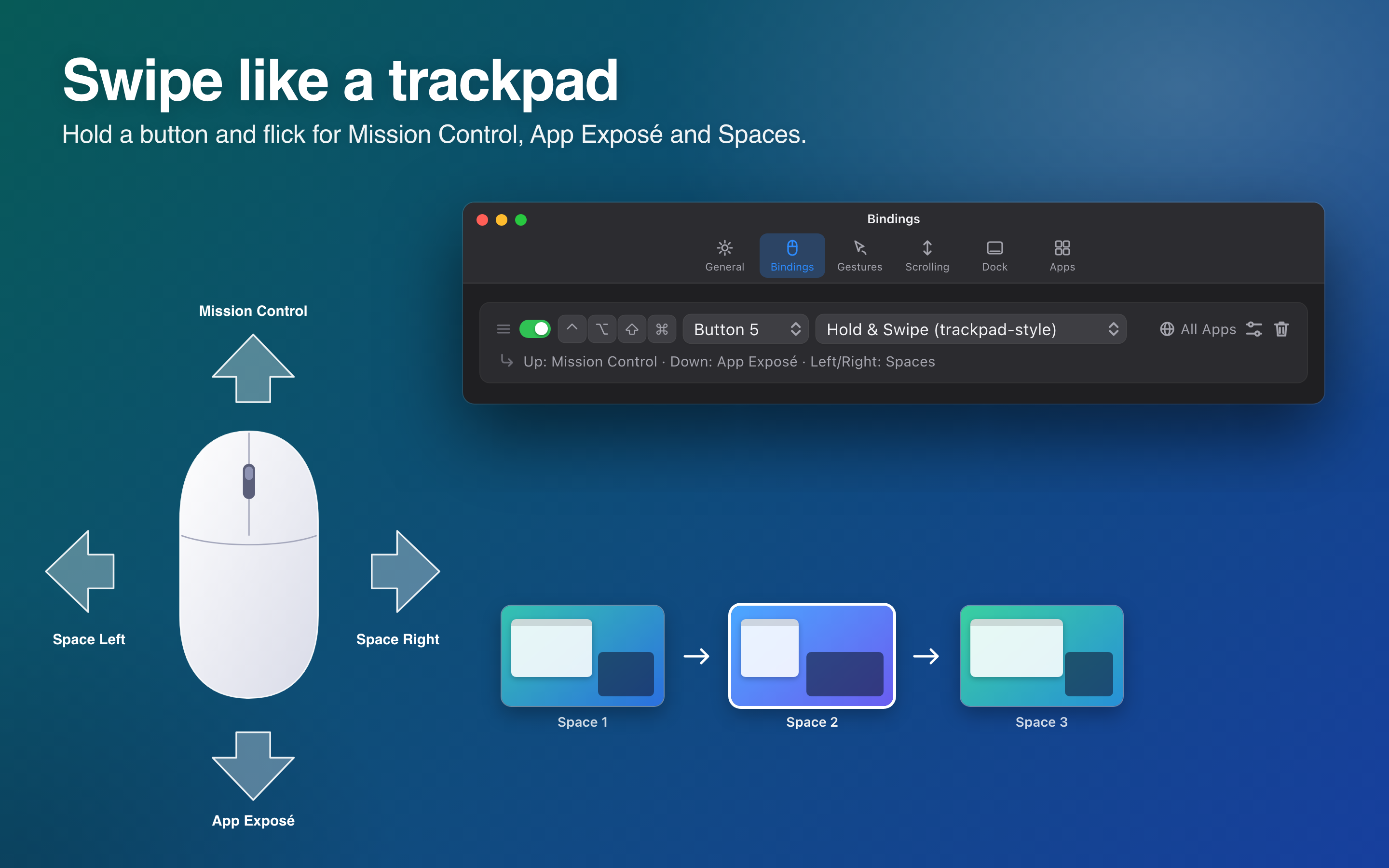
Hold Button 5 and swipe: up for Mission Control, down for App Exposé, left or right to change Spaces. The swipe is measured and the action runs when you let go; an optional live transition is in Settings.
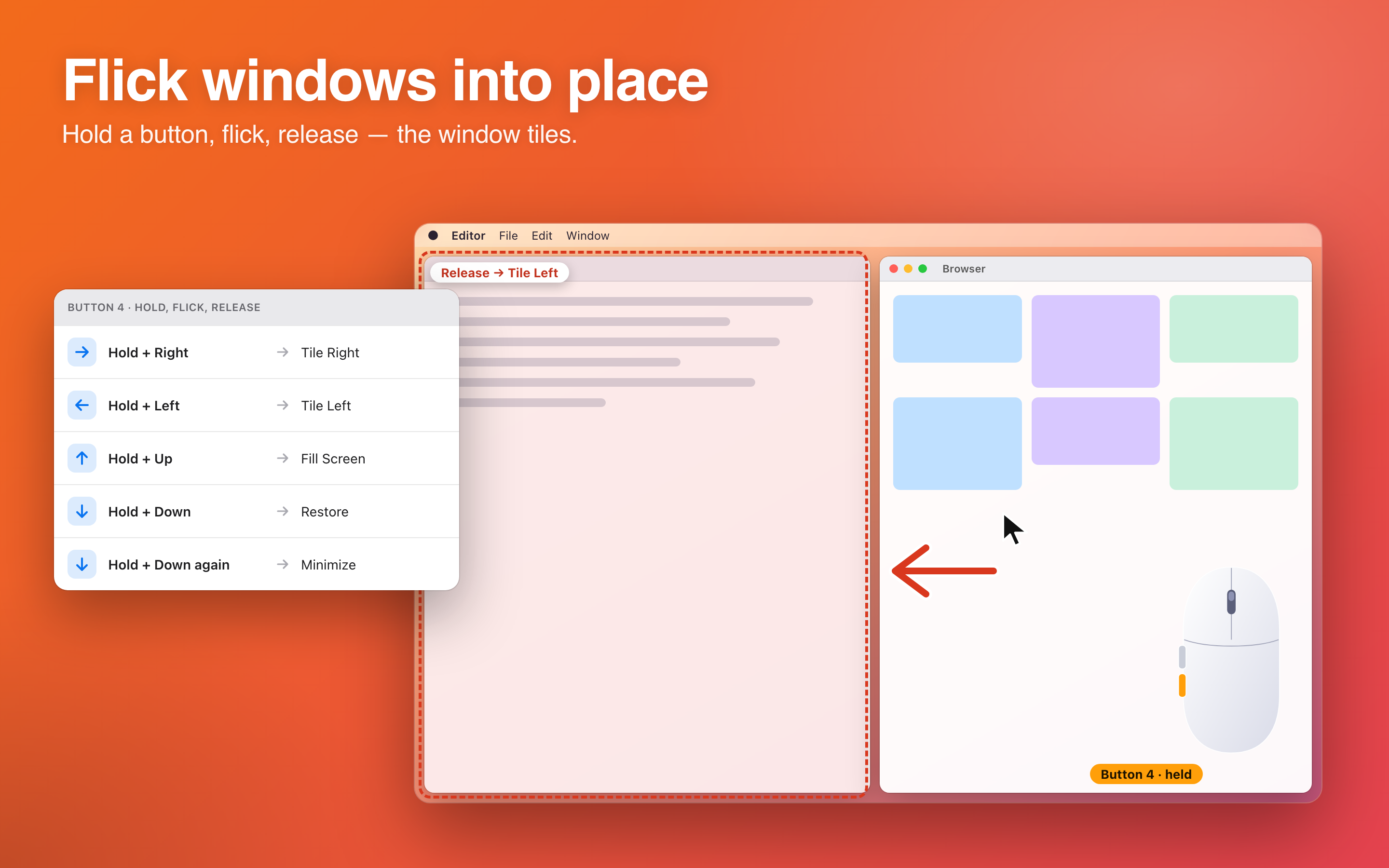
Hold Button 4, flick, release. Right or left tiles that half of the screen, up fills it, down restores the previous size, and down again minimizes.
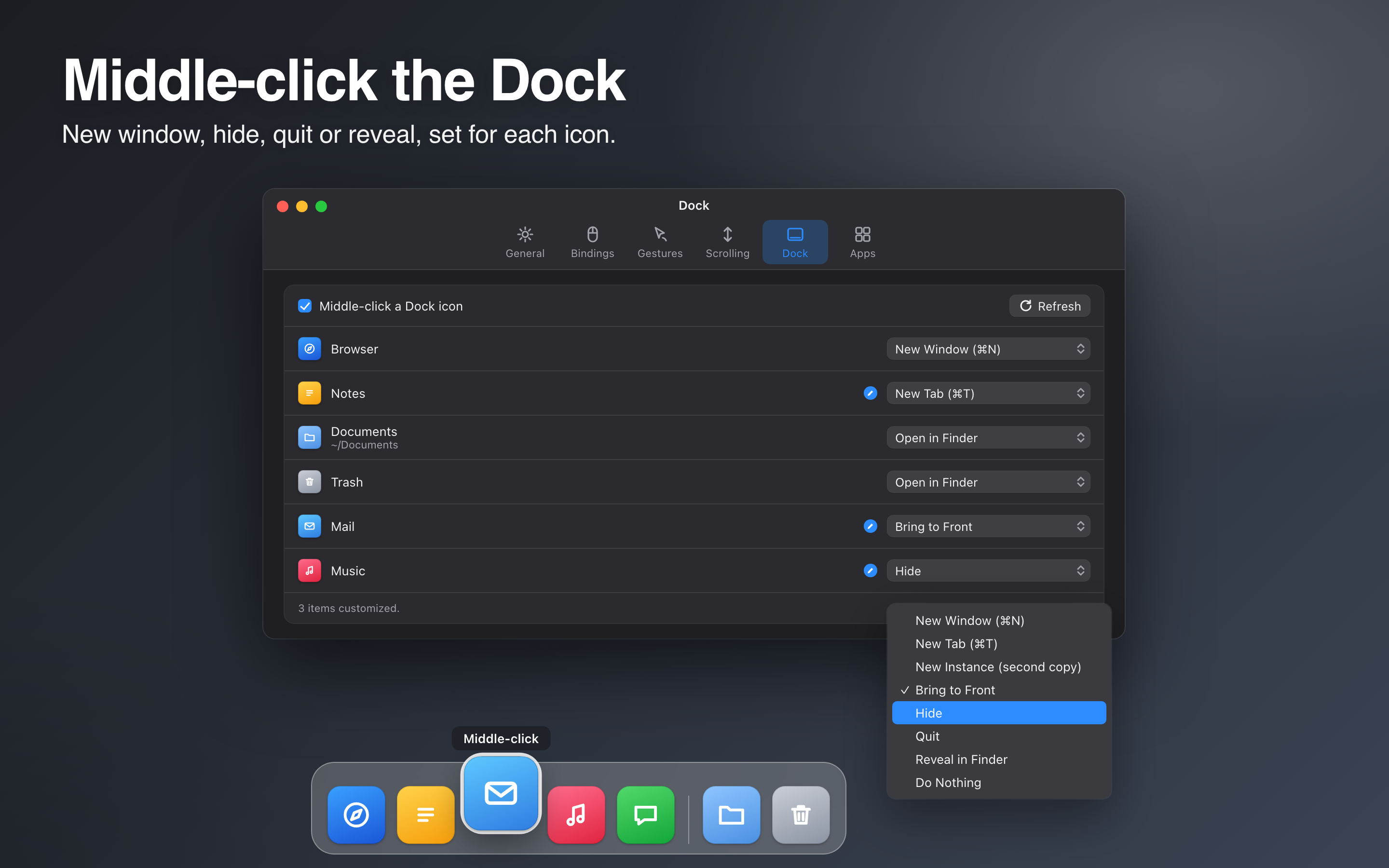
Pick an action for each Dock icon: new window, bring to front, hide, quit, reveal in Finder or nothing. Folders, files and Trash get their own choices.
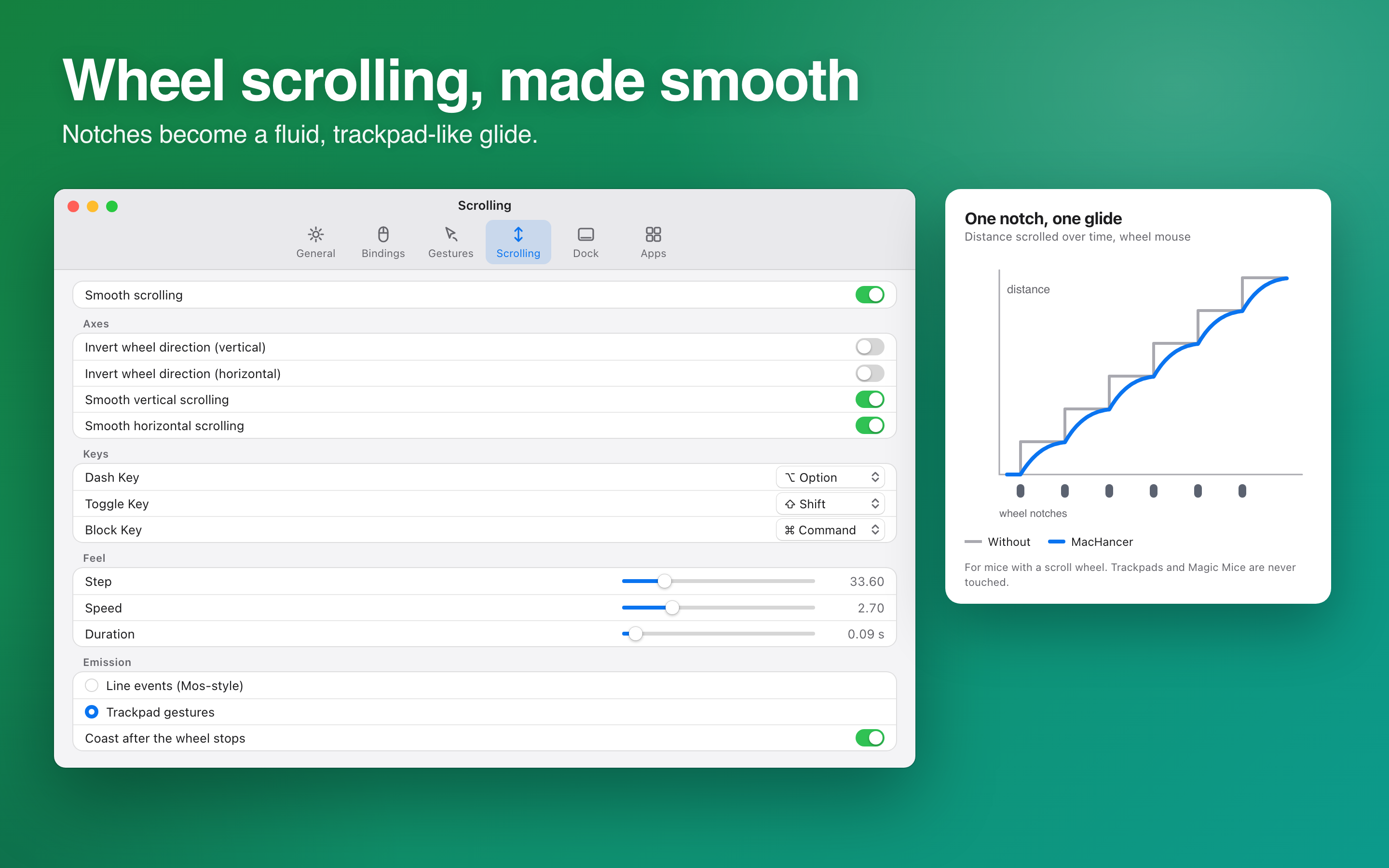
Eased, trackpad-like motion for wheel mice, with adjustable distance, smoothness and acceleration. It is for wheel mice only, not trackpads or Magic Mouse.
Pair any button or key with a click, double click, hold, drag, chord or swipe, with modifier keys. Reverse left and right per binding.

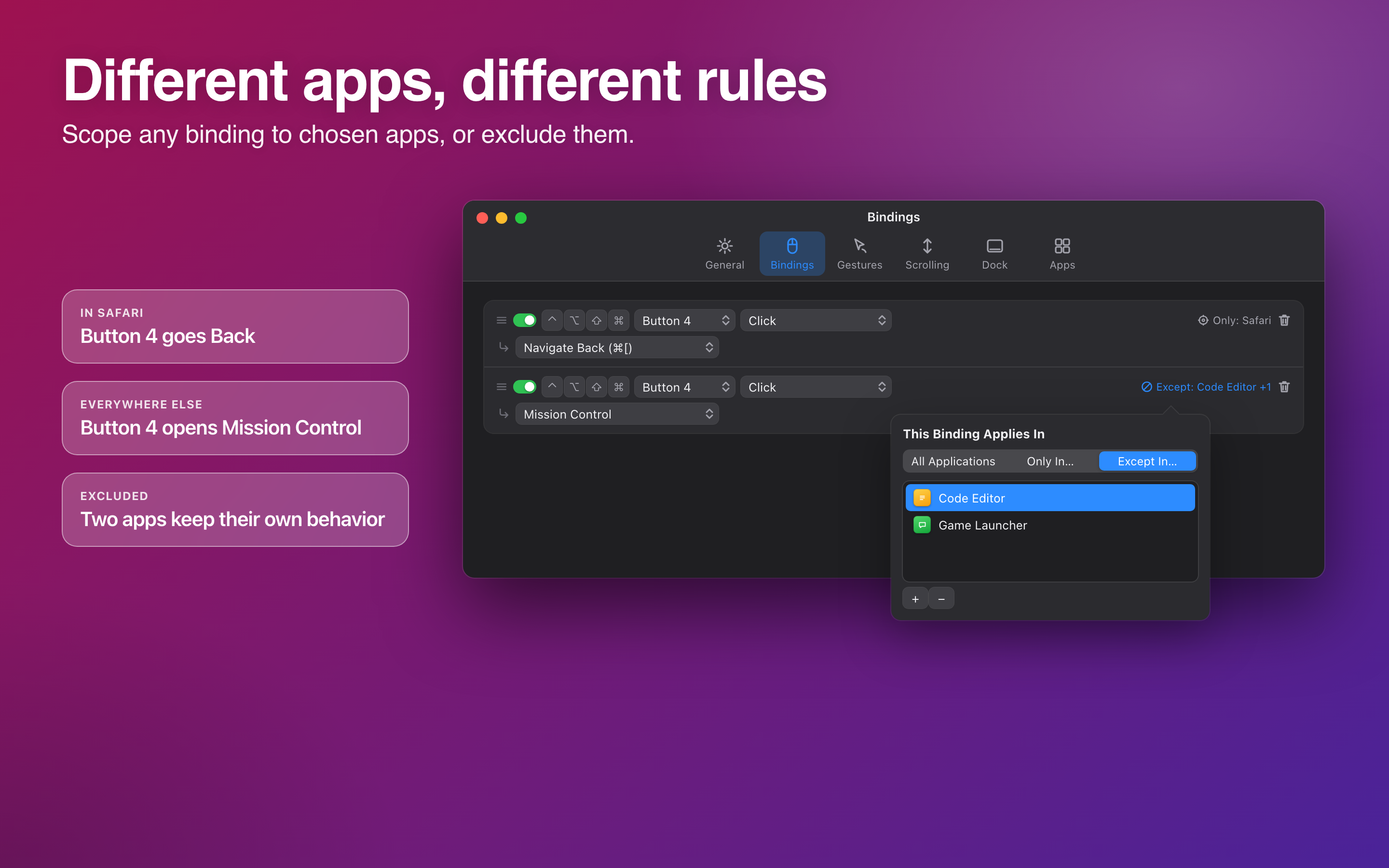
Limit a binding to chosen apps, or exclude apps. Back and Forward in one place, something else everywhere else.